

Managing phones
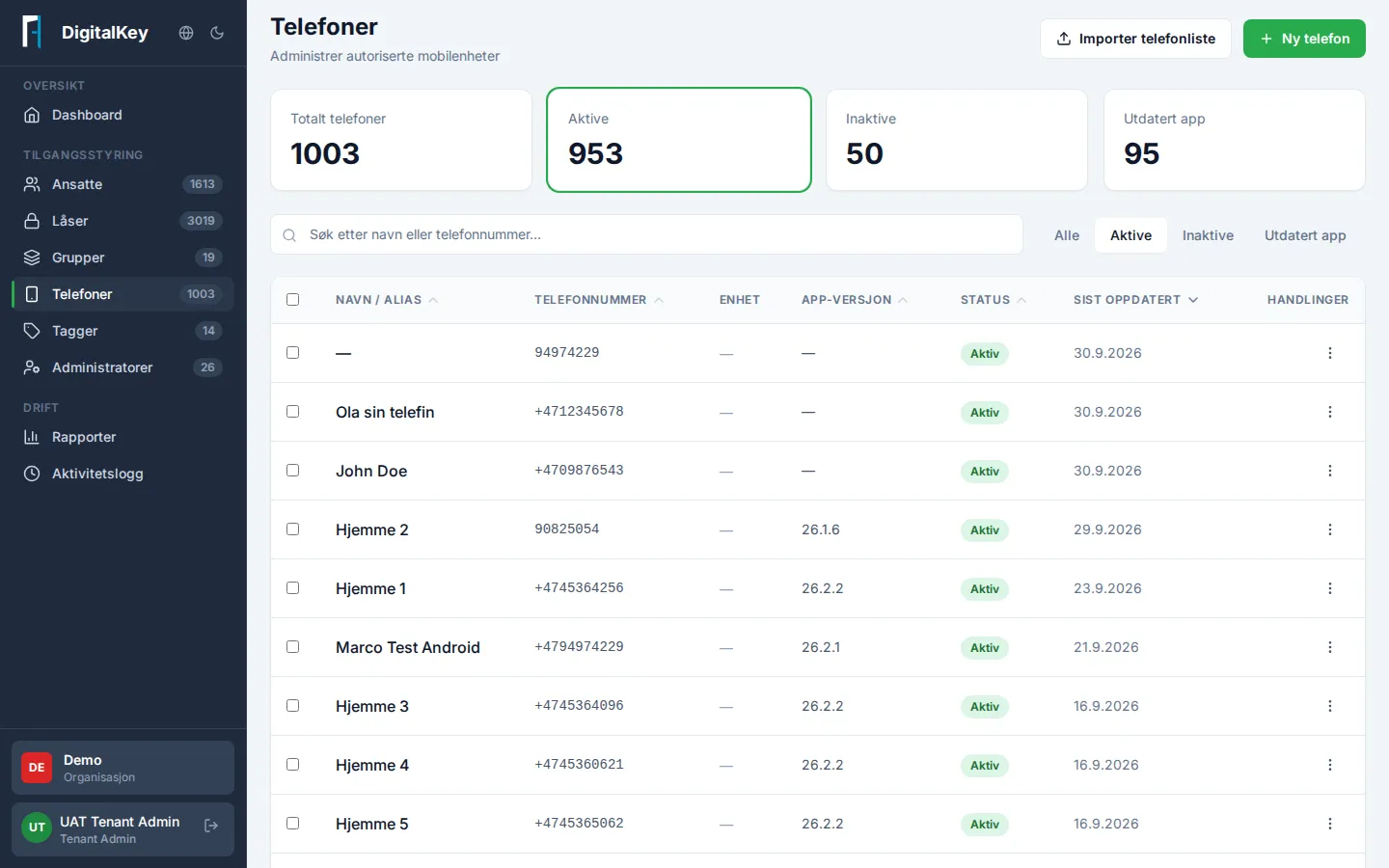
Under Phones you manage the authorized mobile devices used to open locks — both personal phones and shared duty phones.
Common tasks
Section titled “Common tasks”| Task | How |
|---|---|
| Register a phone | New Phone — enter the number and who it belongs to |
| Register many | Import Phone List from a file, with validated preview |
| Change a phone | Open the phone in the list and select Edit |
| Take a phone out of use | Deactivate the phone — it can be activated again later |
You can also deactivate or activate several phones at once by selecting them in the list.
Worth knowing
Section titled “Worth knowing”- The phone number can’t be changed once keys have been generated for the device. Register a new phone instead when the number changes.
- A deactivated phone can’t open locks. This is how you take a device out of use.
- The overview also shows the app version on each device. Very old app versions can cause problems opening locks — ask the user to update the app when troubleshooting.
- Lost or stolen phone? The fastest measure is to lock the employee’s account under Employees — that shuts off all access regardless of device. Then tidy up the phone list.