

Managing locks
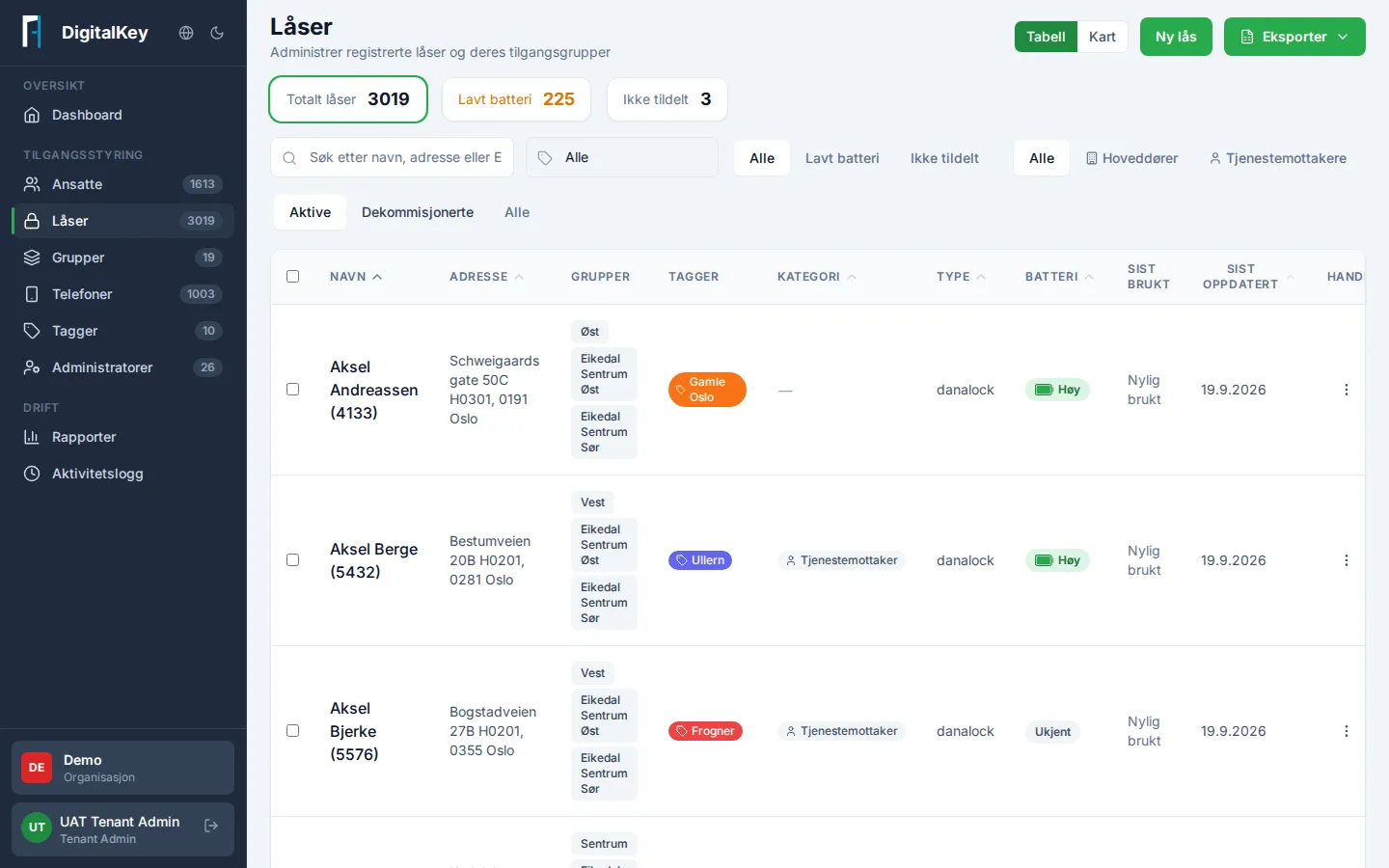
Under Locks you’ll find all registered locks in your organization, with status, address, and which groups have access.
The essentials on this page
Section titled “The essentials on this page”- The overview cards show total locks, locks with Low Battery, and locks Not Assigned to any group. Click a card to filter the list.
- The list can be shown as a table or on a map, and filtered by tags, battery, category, and status.
- The status filter defaults to Active. Decommissioned locks are hidden until you choose Decommissioned or All.
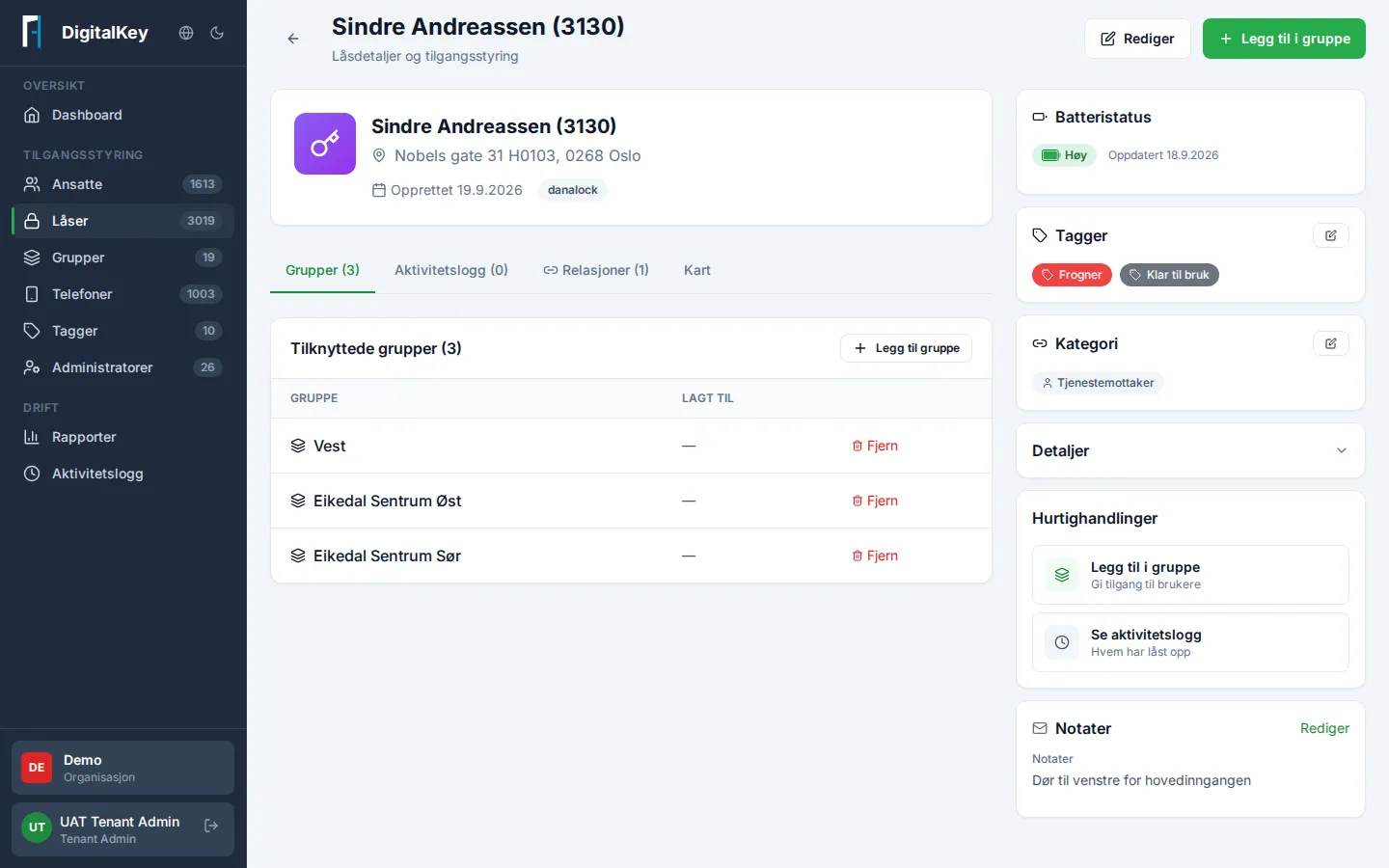
- Click a lock for details: access groups, battery level, tags, category, relationships, notes, changelog, and its location on the map.
Category
Section titled “Category”A lock can be marked with a category describing what kind of door it is:
- Main door — a shared entrance, for example the entry to a building.
- Service recipient — a door at an individual resident or recipient.
The category is only a label that makes locks easier to find and filter. It does not control access by itself.
Relationships — locks that belong together
Section titled “Relationships — locks that belong together”Some locks are physically connected: to reach one lock you first have to pass another. On a lock’s Relationships tab you can record this as “In front of this lock” and “Behind this lock”.
A typical example: a main door sits in front of the doors to individual service recipients. The main door is then a prerequisite for reaching the recipient’s door — a necessary step along the way, but it does not grant access to anything by itself.
In practice this means an employee needs access to the whole way in: both the prerequisite doors (such as the main door) and the target door. Make sure the groups cover both. If a group has a service-recipient lock without its prerequisite door, the portal flags it and offers to add the doors.
PIN code
Section titled “PIN code”For locks that use a PIN code, the code is shown on the lock’s detail page. You can show or change the PIN if your role allows it. For security the code stays hidden until you actively choose to show it.
On a lock you can keep notes:
- Notes — visible information about the lock.
- Admin notes — for administrators only, not visible to employees in the app.
Battery and maintenance
Section titled “Battery and maintenance”Locks report their battery level to the portal as High, Medium, or Low (not a percentage). Keep an eye on the Low Battery card on the Locks page or the Dashboard, and plan battery replacement before the lock stops responding.
Unassigned locks
Section titled “Unassigned locks”A lock without a group can’t be opened by anyone. The Not Assigned card shows these — review the list regularly and attach the locks to the right group.
Decommissioned locks
Section titled “Decommissioned locks”A lock that has been retired is marked Decommissioned and hidden from the list by default. It can’t be attached to new groups or relationships, but its history remains available. Use the status filter to see them.