

The dashboard
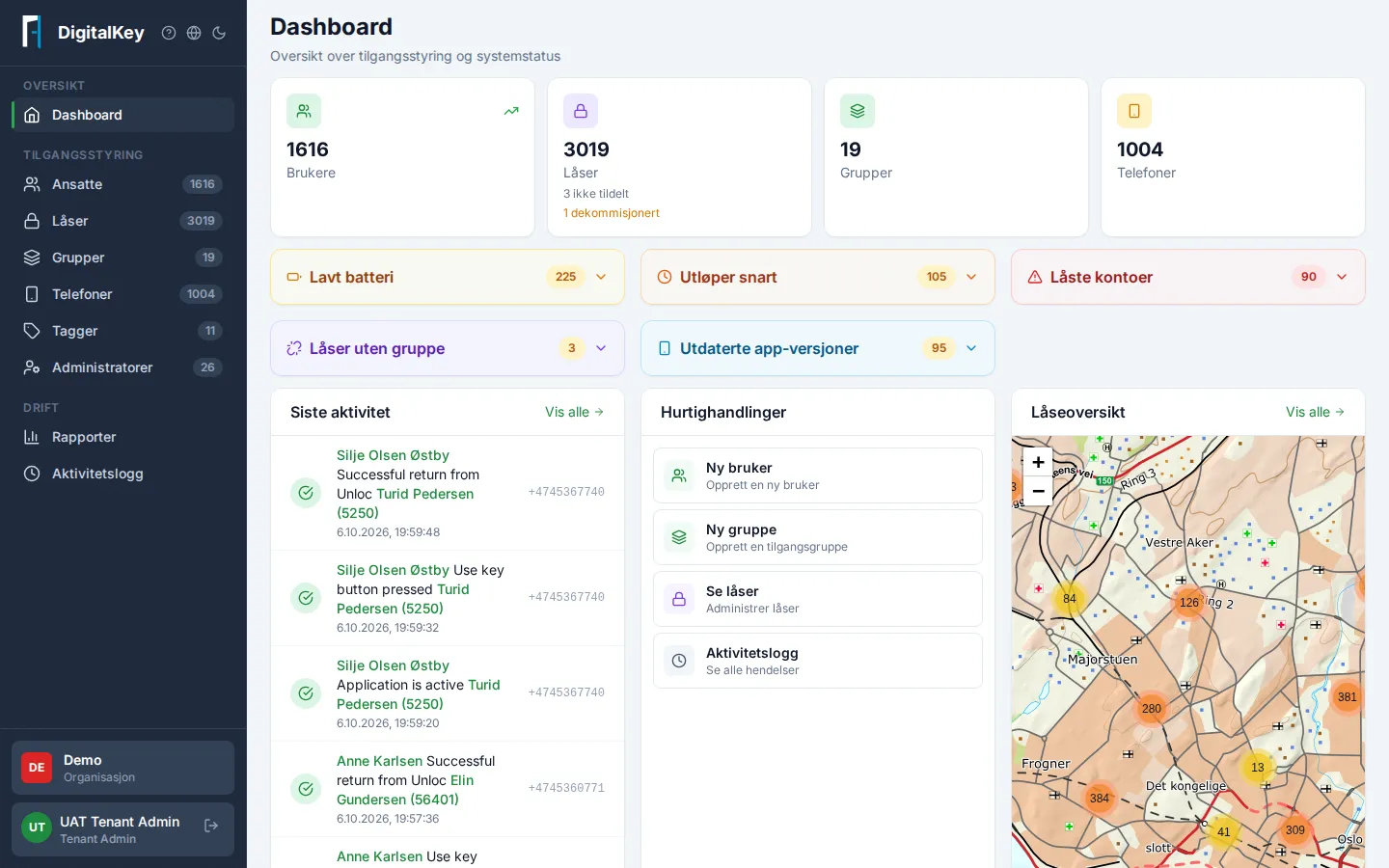
The Dashboard is the portal’s front page and gives you the status of your entire access management in one place.
The status cards
Section titled “The status cards”At the top you see key figures: users, locks, groups, and phones, plus alert cards for low battery, locked accounts, and access expiring soon. Click a card to jump straight to the filtered list.
Needs attention
Section titled “Needs attention”The dashboard surfaces things you should look at:
- Locks without a group — locks nobody can open until they’re attached to a group.
- Outdated app versions — devices with an old app that should be updated.
Locks on a map
Section titled “Locks on a map”The map shows your locks with status — green for OK, an alert for low battery. The same map is available on the Locks page and on every group page.
Quick actions
Section titled “Quick actions”Shortcuts to the most common tasks: New User, New Group, View Locks, and Activity Log.