

The activity log
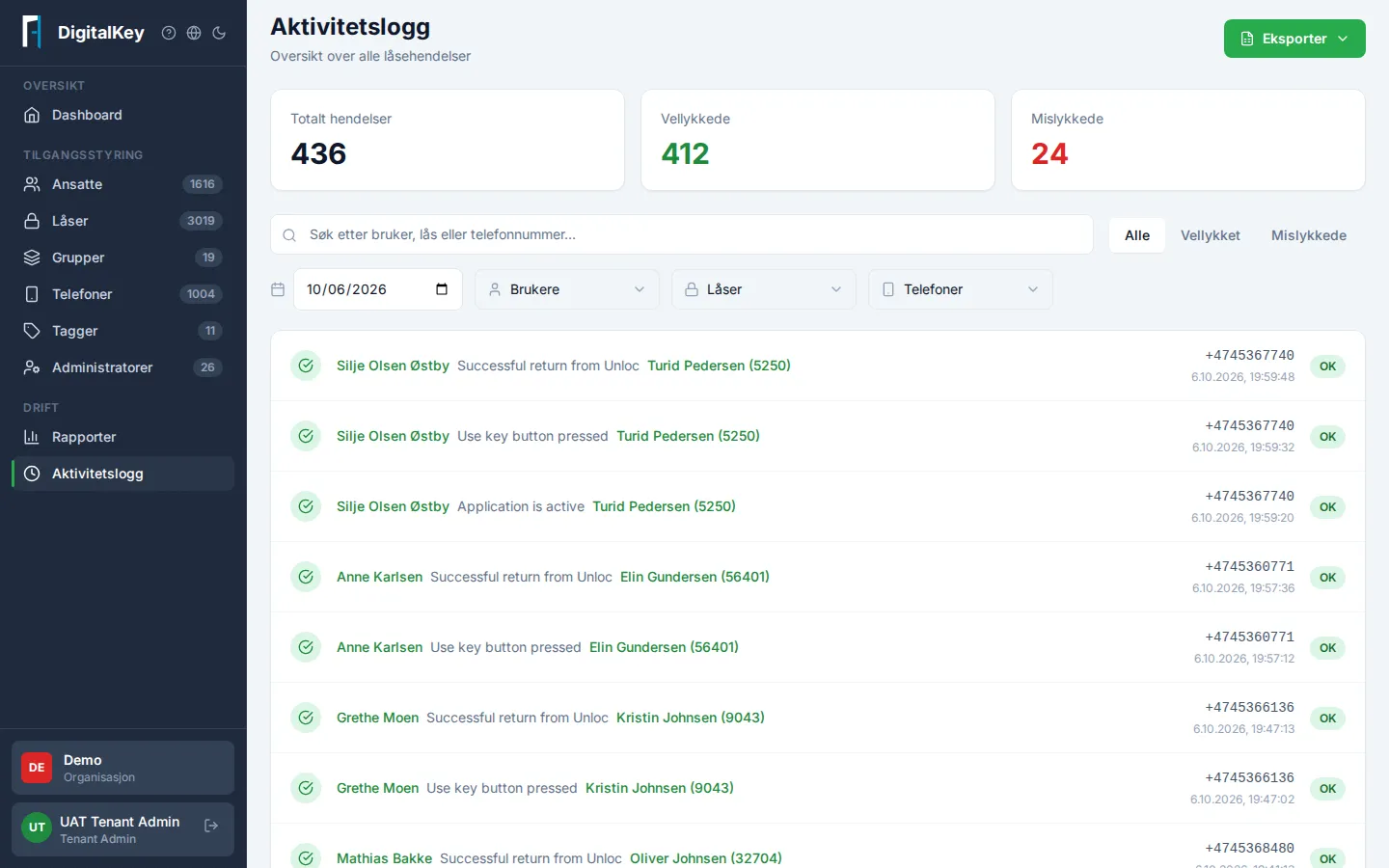
Activity Log in the menu gives you an overview of all lock events in your organization — useful for incidents, internal control, and troubleshooting. The log shows one day at a time: today’s events when you open the page, and any day up to 30 days back when you pick a date.
What the log shows
Section titled “What the log shows”Every event has a timestamp, user, lock, action, and result. Typical events:
- Lock access — someone unlocked or used a key on a lock.
- Sessions — sign-in and sign-out in the app, including expired sessions.
- Keys — keys fetched, or downloaded for offline use.
- Diagnostics — diagnostic reports submitted from the app.
At the top, summary cards show the number of events, successful and failed for the selected day — the numbers follow the filter you’ve set.
Pick a day
Section titled “Pick a day”The date picker decides which day the log shows. Today is selected when you open the page; pick another date to see that day. You can go up to 30 days back — older events are not available in the portal.
Below the list you can see which day is shown and when the events were fetched (“Fetched at”). Events recorded after that appear when you press Refresh.
Filtering
Section titled “Filtering”Combine filters to find what you’re looking for within the selected day:
- Search — by user, lock, or phone.
- Result — All, Successful, or Failed.
- User, lock, or phone — pick one or more from their own lists.
Clear filters takes you back to the whole day. The day you picked is kept.
Typical questions the log answers
Section titled “Typical questions the log answers”- Who visited a service recipient last night?
- Why did the door opening fail — and at which step?
- Seeing the actual error codes/cause requires an updated version of the Unloc app on the duty phone.