

Reports
Under Reports you pull ready-made overviews of access and usage — for internal control, audits, or your own follow-up.
The reports
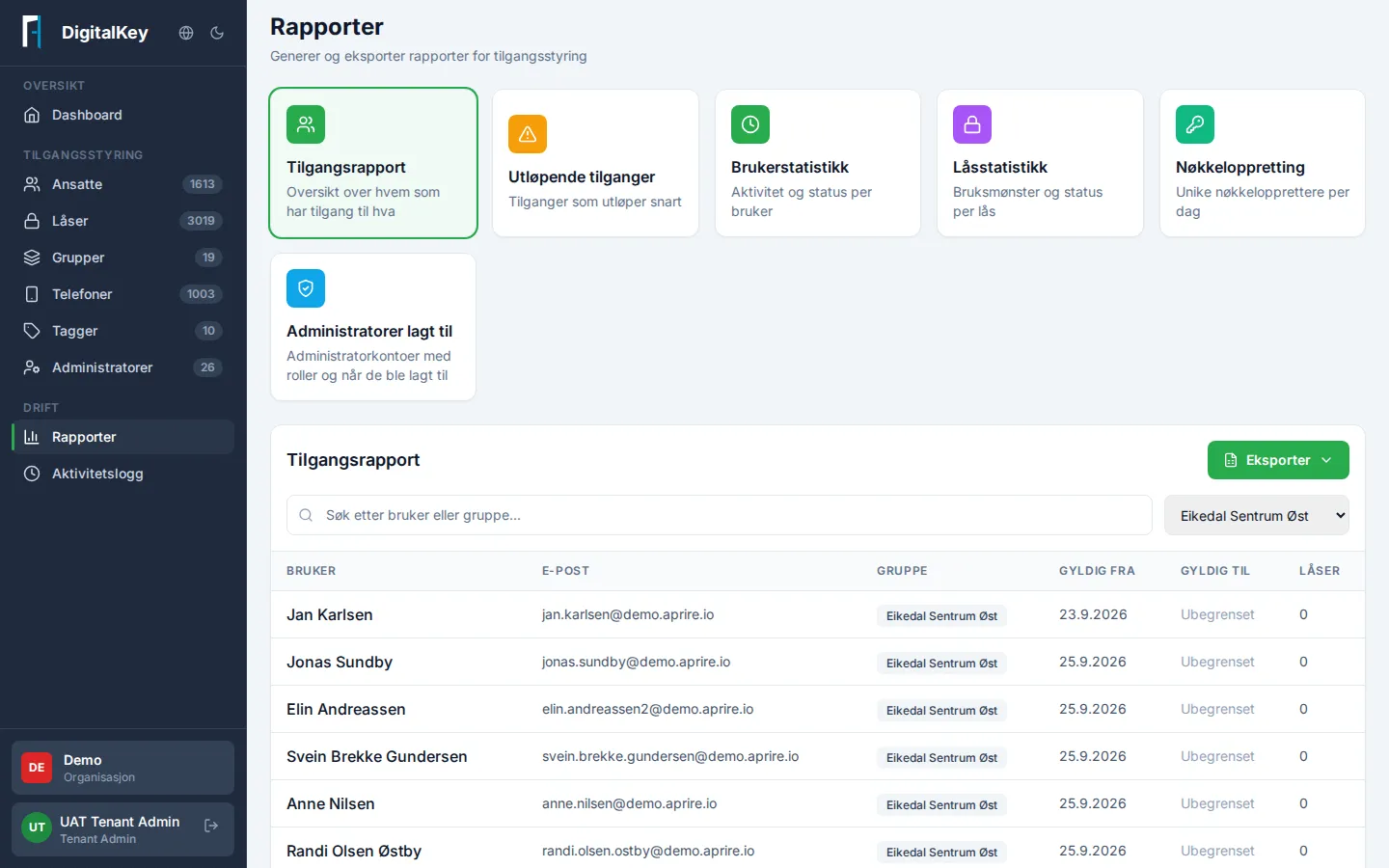
Section titled “The reports”Pick a report at the top of the page:
- Access report — who has access to which locks, and through which groups. Can be filtered by group.
- Expiring access — accesses expiring within a chosen number of days. Here you can also extend an access directly by setting a new valid-to date.
- User statistics — activity and key figures per user.
- Lock statistics — usage per lock: which are used a lot, and which are never used.
- Key creation — how many keys have been created over the last few days.
- Administrators added — administrators with their roles and when they were added, with a monthly overview.
Export
Section titled “Export”Most tables in the portal — including Employees, Locks, and Groups — can be exported directly to Excel or CSV with the export button above the table. Filter first, so the export contains exactly the selection you need.
Activity log
Section titled “Activity log”If you need event history — who opened what, and when — you’ll find it under Activity Log in the menu. The log shows one day at a time (up to 30 days back) and can be filtered by employee, lock, and phone. Every employee and lock also has the last 24 hours of events on its detail page.