

Your keys
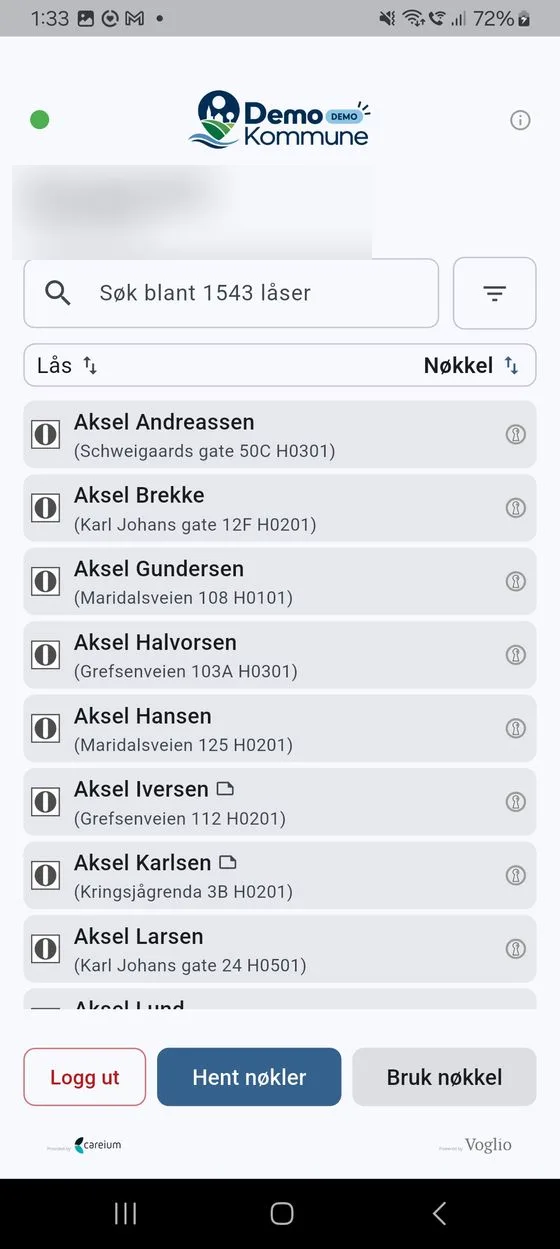
Once you are logged in, the lock list is the main screen in DigitalKey. Here you see every lock you have access to, and the colour of each key. A small dot at the top shows whether you are online: green means connected, red means offline.
The key colour
Section titled “The key colour”Each lock’s key is shown as a small key icon on the right of the list. It’s the colour of the icon – not any text – that tells you how far the key has come:
| Colour | Meaning |
|---|---|
| Grey | You haven’t got a key for this lock yet. |
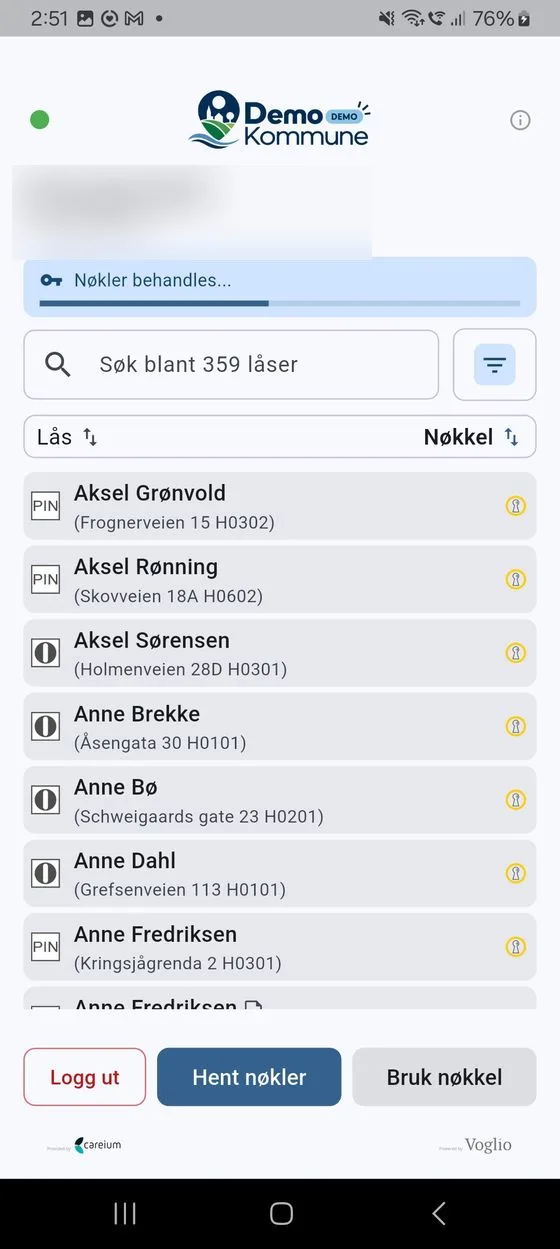
| Yellow | The key is being prepared. This usually takes only a moment. |
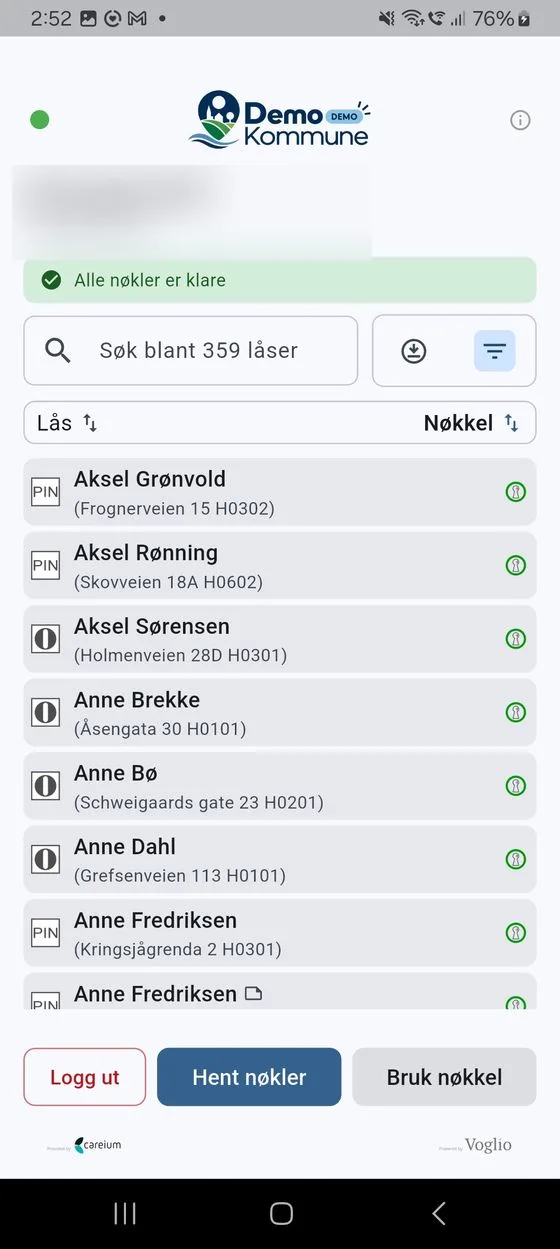
| Green | The key is ready to use. |
A key must be green before you can use it to open a door. A message at the top of the screen also shows the overall progress for all your keys, for example «Nøkler behandles …» (Keys processing …) and «Alle nøkler er klare» (All keys are ready).
Making your keys ready
Section titled “Making your keys ready”- Tap Hent nøkler (Get keys).
- The keys are prepared – the key icons turn yellow while this is happening, and a banner at the top shows the progress, for example «Nøkler behandles …» (Keys processing …).
- When everything is ready, you see the message «Alle nøkler er klare» (All keys are ready) and the keys turn green.
You need an internet connection to get keys. If you are offline, the app will let you know it cannot do it.
Making keys available offline
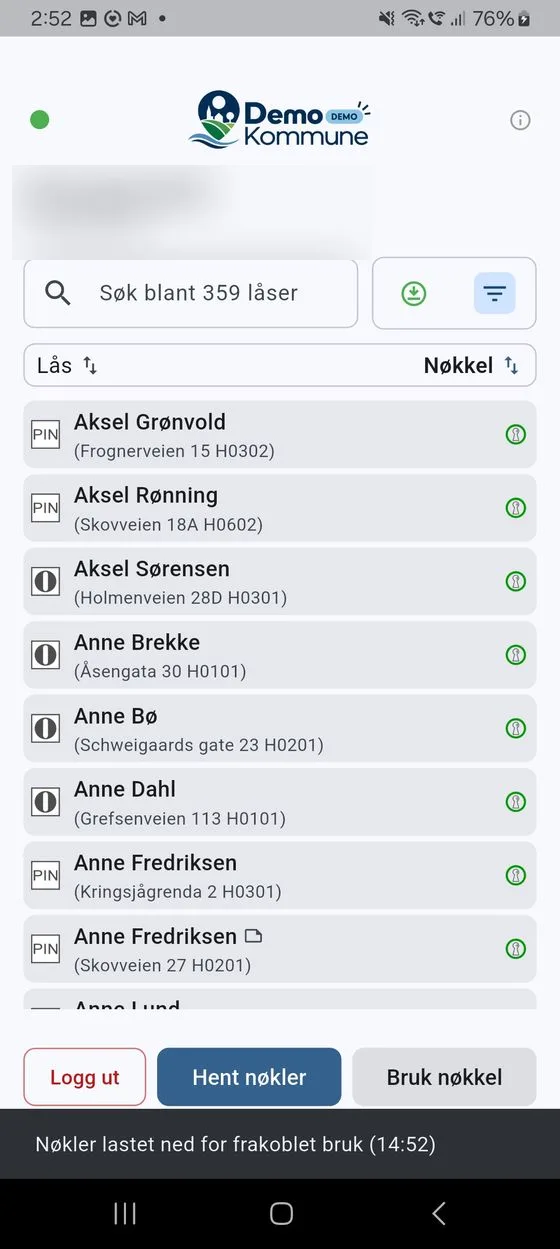
Section titled “Making keys available offline”When you have ready (Klar (grønn)) keys, a Last ned (Download) button appears in the lock list. Tap it to download the keys for offline use. Unloc opens briefly to fetch the keys, and then you return to DigitalKey.
This is useful if you are going somewhere without coverage. See Offline use for details.
Didn’t get any keys?
Section titled “Didn’t get any keys?”If you see the message «Fikk ikke nøkler» (Did not get keys), or a key doesn’t turn green, you can usually try Hent nøkler again. If that doesn’t help, see Troubleshooting.