

Offline use
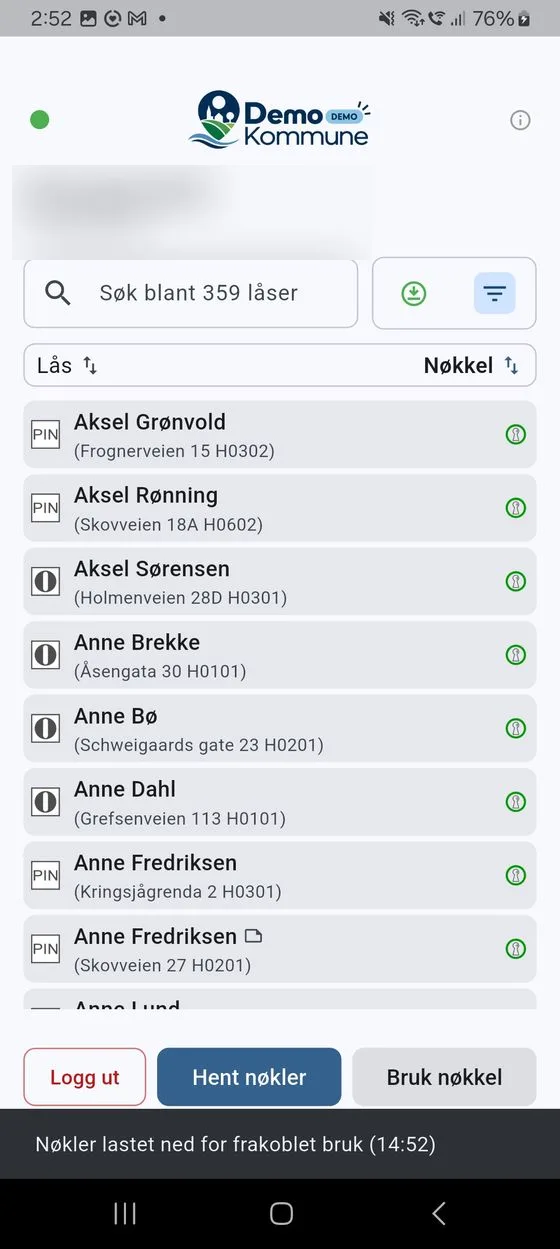
DigitalKey shows whether you are online. The dot at the top of the lock list is green when you are Tilkoblet (connected) and red when you are Frakoblet (offline). If you download your keys while you have a connection, they also work when you are offline.
Download keys for offline use
Section titled “Download keys for offline use”When your keys are ready (green), a Last ned (Download) button appears in the lock list. Tap it to download the keys for offline use.
- Make sure you are connected (green dot) and that the keys are ready.
- Tap Last ned. Unloc opens briefly to fetch the keys, and then you return to DigitalKey.
- You see the confirmation «Nøkler lastet ned for frakoblet bruk (kl. HH:MM)» (Keys downloaded for offline use (at HH:MM)).
Downloading again
Section titled “Downloading again”If you have already downloaded, the app remembers when you did it. Tapping Last ned again shows the message «Nøkler lastet ned kl. X. Trykk igjen for å laste ned på nytt.» (Keys downloaded at X. Tap again to download anew.) – with a Last ned button in the message if you want to fetch the keys again.
Download again whenever you want to be sure you have the latest keys before you go offline – for example if your access has changed.
When you are offline
Section titled “When you are offline”When you are offline, DigitalKey shows the locks that were saved on your phone the last time you were online. Keys you have downloaded can be used to open doors in Unloc as usual, with no connection at all.
If you haven’t downloaded anything in advance, the list may be empty. You then see «Ingen internettilkobling» (No internet connection) and «Ingen lagrede låser tilgjengelig.» (No saved locks available.) You need to get back online to fetch and download keys.